13 min read
How to Build a Complete RAG Agent with Mastra and AI SDK
A practical guide to building a production RAG system with internal knowledge search, external fallback, conversation history, and streaming responses. Featuring a real implementation: AI chat for my portfolio.
Tutorials
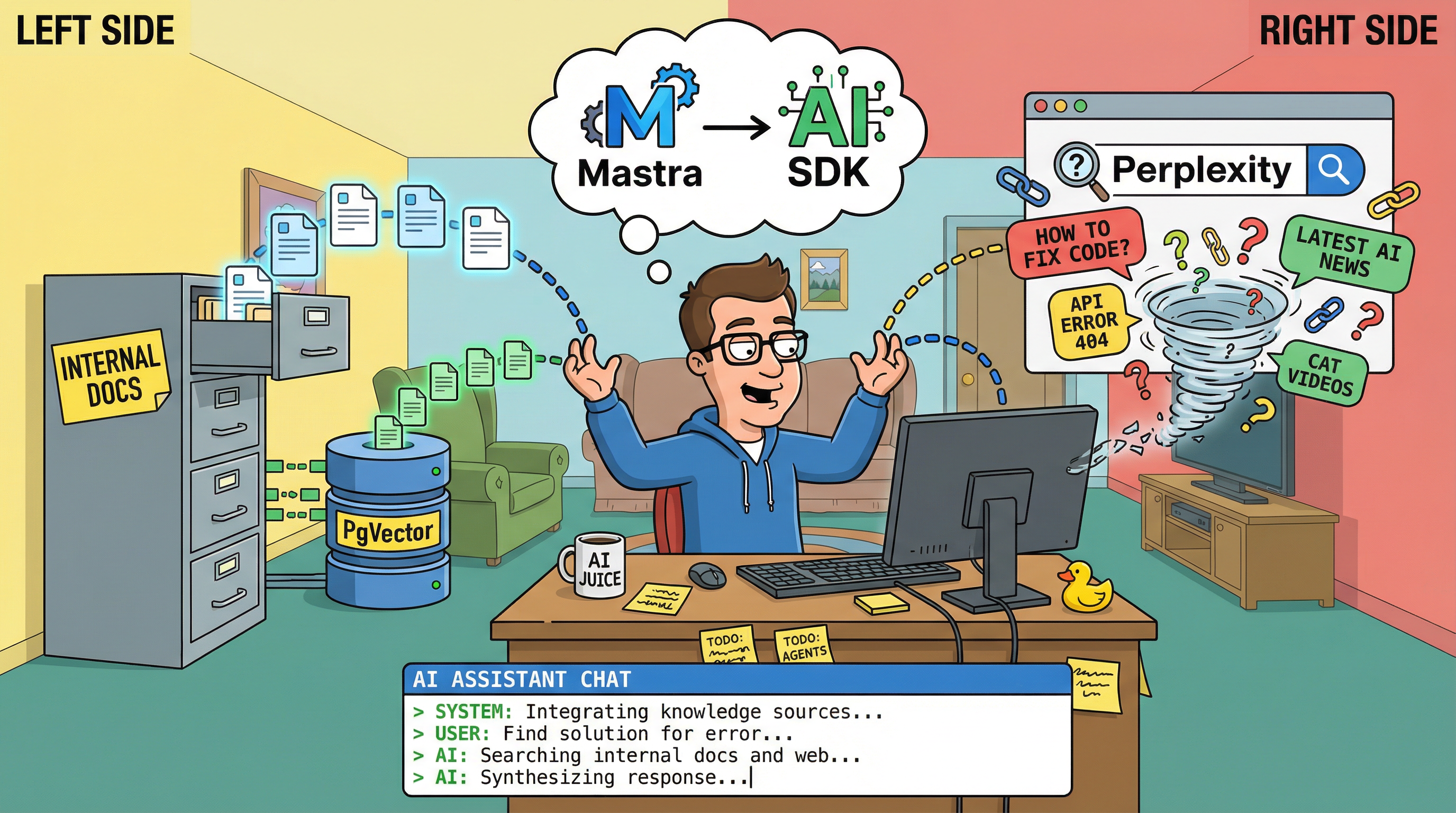
TL;DR: Build a complete RAG agent that searches your internal docs first, falls back to web search when needed, maintains conversation history across sessions, streams responses in real-time, and orchestrates multiple tools intelligently. I built this for my portfolio and it’s running on this site right now.
Who this is for
This guide is for developers who want to build complete RAG systems, not just proof-of-concepts.
You’ll see how to integrate:
- Internal knowledge search (vector database)
- External knowledge fallback (web search)
- Persistent conversation threads
- Streaming responses with refresh tolerance
- Multi-tool orchestration
If you’re building chatbots that need to answer from your own docs while also handling general questions, this is for you.
Not for: Simple Q&A demos or single-document retrieval.
What we’re building
I built an AI chat for my portfolio website that:
- Knows my content: Searches through my blog posts, projects, and experience
- Handles general questions: Falls back to web search via Perplexity
- Remembers conversations: Thread-based history, not ephemeral
- Streams responses: Real-time typing effect with database persistence
- Orchestrates tools: Internal search → External search → Custom tools
Try it live: Look for the chat bubble in the bottom-right corner of this website. Click it to ask questions about my projects, blog posts, or experience.
Full source code: GitHub Repository
This is a real production system, not a tutorial toy. It’s running on this site right now, handling real queries. The patterns here scale to any domain - customer support, internal knowledge bases, documentation assistants, etc.
The complete architecture
Here’s how all the pieces fit together:
Tech stack:
- Mastra 0.1.x: Agent framework with tool orchestration
- Vercel AI SDK 5.0: Streaming and tool calling
- PostgreSQL + PgVector: Vector store for embeddings
- OpenRouter: Unified LLM API (Claude, GPT, etc.)
- Perplexity Sonar Pro: External knowledge via web search
- tRPC or Next.js API Routes: Type-safe API layer
Why this stack:
- Mastra handles agent logic and memory
- AI SDK handles streaming elegantly
- PgVector gives you vector search in Postgres (no separate vector DB)
- OpenRouter lets you switch models without code changes
- Perplexity provides quality web search with citations
Setting up internal knowledge (RAG)
The database schema
First, create your vector storage table:
// schema.ts
import {
  pgTable,
  text,
  vector,
  uuid,
  jsonb,
  timestamp,
} from "drizzle-orm/pg-core";

export const knowledgeVectors = pgTable("knowledge_vectors", {
  id: uuid("id").primaryKey().defaultRandom(),
  embedding: vector("embedding", { dimensions: 1536 }), // OpenAI embeddings
  content: text("content").notNull(),
  metadata: jsonb("metadata").$type<{
    source: string; // e.g., "blog/why-i-love-mastra.md"
    category: string; // e.g., "blog" | "project" | "experience"
    title: string;
    url: string;
    pathPrefix?: string; // For multi-tenant filtering
  }>(),
  createdAt: timestamp("created_at").defaultNow(),
});

// Create the vector index
// Run this SQL migration:
// CREATE INDEX ON knowledge_vectors USING ivfflat (embedding vector_cosine_ops) WITH (lists = 100);
Document ingestion
Ingest your content (blog posts, projects, etc.):
// ingest.ts
import { openai } from "@ai-sdk/openai";
import { embed } from "ai";
import { db } from "./db";
import { knowledgeVectors } from "./schema";

async function ingestDocument(
  content: string,
  metadata: { source: string; category: string; title: string; url: string }
) {
  // 1. Chunk the content
  const chunks = chunkText(content, { maxSize: 512, overlap: 50 });

  // 2. Generate embeddings
  const embeddings = await Promise.all(
    chunks.map((chunk) =>
      embed({
        model: openai.embedding("text-embedding-3-small"),
        value: chunk,
      })
    )
  );

  // 3. Store in database
  await db.insert(knowledgeVectors).values(
    chunks.map((chunk, i) => ({
      content: chunk,
      embedding: embeddings[i].embedding,
      metadata,
    }))
  );
}

function chunkText(
  text: string,
  options: { maxSize: number; overlap: number }
) {
  const chunks: string[] = [];
  const sentences = text.split(/[.!?]+/);
  let currentChunk = "";

  for (const sentence of sentences) {
    if ((currentChunk + sentence).length > options.maxSize) {
      if (currentChunk) chunks.push(currentChunk.trim());
      currentChunk = sentence;
    } else {
      currentChunk += sentence + ". ";
    }
  }

  if (currentChunk) chunks.push(currentChunk.trim());
  return chunks;
}

// Example: Ingest a blog post
await ingestDocument(blogPostContent, {
  source: "blog/why-i-love-mastra.md",
  category: "blog",
  title: "Why I Love Mastra",
  url: "/blog/why-i-love-mastra",
});
Live implementation: Ingestion script
Pro tip: I also generate synthetic content for the homepage that emphasizes profile context, key skills, and contact information. This ensures critical info is always findable even if it’s not in a specific blog post.
The internal search tool
Create a Mastra tool for searching your internal knowledge:
// tools/internal-search.ts
import { createTool } from "@mastra/core/tools";
import { z } from "zod";
import { createOpenAI } from "@ai-sdk/openai";
import { embed } from "ai";
import { PgVector } from "@mastra/pg";

// Use OpenAI SDK with OpenRouter endpoint
const openrouter = createOpenAI({
  apiKey: process.env.OPENROUTER_API_KEY,
  baseURL: "https://openrouter.ai/api/v1",
});

export const internalKnowledgeSearchTool = createTool({
  id: "internal_knowledge_search",
  description:
    "Search internal knowledge base. Use for questions about projects, blog posts, experience, or skills.",
  inputSchema: z.object({
    queryText: z.string().describe("The search query"),
    topK: z
      .number()
      .optional()
      .default(10)
      .describe("Number of results to return"),
  }),
  outputSchema: z.object({
    relevantContext: z.array(
      z.object({
        text: z.string(),
        source: z.string(),
        category: z.string(),
        pathPrefix: z.string().optional(),
        score: z.number(),
      })
    ),
    sources: z.array(
      z.object({
        id: z.string(),
        score: z.number(),
        metadata: z.record(z.string(), z.any()),
      })
    ),
  }),
  execute: async ({ context, runtimeContext }) => {
    const { queryText, topK } = context;

    // Read pathPrefix from RuntimeContext for multi-tenancy
    const pathPrefix = runtimeContext?.get("pathPrefix") as string | undefined;

    // Generate embedding for the query
    const { embedding } = await embed({
      model: openrouter.embedding("text-embedding-3-small"),
      value: queryText,
    });

    // Initialize PgVector
    const pgVector = new PgVector({
      connectionString: process.env.DATABASE_URL!,
    });

    // Build filter for multi-tenancy
    const filter = pathPrefix ? { pathPrefix } : undefined;

    // Query vector store
    const results = await pgVector.query({
      indexName: "portfolio_knowledge",
      queryVector: embedding,
      topK: topK || 10,
      filter,
    });

    // Format results
    const relevantContext = results.map((result) => ({
      text: (result.metadata?.text as string) || "",
      source: (result.metadata?.source as string) || "unknown",
      category: (result.metadata?.category as string) || "",
      pathPrefix: result.metadata?.pathPrefix as string | undefined,
      score: result.score,
    }));

    const sources = results.map((result) => ({
      id: result.id,
      score: result.score,
      metadata: result.metadata || {},
    }));

    return {
      relevantContext,
      sources,
    };
  },
});
Live implementation: Internal search tool
Adding external knowledge fallback
Your agent shouldn’t be limited to only what’s in your docs. Add Perplexity for web search:
// tools/external-search.ts
import { createTool } from "@mastra/core";
import { z } from "zod";
import { createOpenRouter } from "@openrouter/ai-sdk-provider";
import { generateText } from "ai";

const openrouter = createOpenRouter({
  apiKey: process.env.OPENROUTER_API_KEY!,
});

export const externalSearchTool = createTool({
  id: "external_search",
  description: "Search the web for information not in internal knowledge base",
  inputSchema: z.object({
    query: z.string().describe("The search query"),
  }),
  outputSchema: z.object({
    answer: z.string(),
    sources: z.array(z.string()),
  }),
  execute: async ({ input }) => {
    // Use Perplexity Sonar Pro for web search
    const result = await generateText({
      model: openrouter("perplexity/sonar-pro"),
      prompt: input.query,
    });

    // Extract citations from response
    const sources = extractUrls(result.text);

    return {
      answer: result.text,
      sources,
    };
  },
});

function extractUrls(text: string): string[] {
  const urlRegex = /https?:\/\/[^\s\)]+/g;
  return [...new Set(text.match(urlRegex) || [])];
}
The decision logic
Critical: Your agent must search internal knowledge first, only falling back to external when needed.
This prevents hallucinations and ensures your own content is prioritized.
// agent-instructions.ts
export const AGENT_INSTRUCTIONS = `
You are a portfolio assistant with access to internal knowledge and web search.

CRITICAL RULES:
1. ALWAYS use internal_knowledge_search FIRST for every query
2. ONLY use external_search if internal_knowledge_search returns NO results or insufficient results
3. NEVER use both tools for the same query
4. After calling a tool, generate a natural response in the user's language

WORKFLOW:
- User asks about projects/blog/experience → internal_knowledge_search → Answer from results
- User asks general question → internal_knowledge_search → If empty → external_search → Answer
- User asks recent/external info → internal_knowledge_search → If empty → external_search → Answer

When answering:
- Cite your sources (blog post title, project name, URL)
- If from web search, mention "According to [source]..."
- Be concise but informative
- Use the user's language (match their tone and language)
`;
Conversation memory and threads
Database schema for threads
Users expect conversations to persist. Don’t reset on every page refresh.
// schema.ts - Add these tables
export const conversationThreads = pgTable("conversation_threads", {
  id: uuid("id").primaryKey().defaultRandom(),
  userId: text("user_id").notNull(), // From your auth system
  title: text("title"), // Auto-generated from first message
  status: text("status").$type<"active" | "archived">().default("active"),
  createdAt: timestamp("created_at").defaultNow(),
  updatedAt: timestamp("updated_at").defaultNow(),
});

export const conversationMessages = pgTable("conversation_messages", {
  id: uuid("id").primaryKey().defaultRandom(),
  threadId: uuid("thread_id").references(() => conversationThreads.id),
  role: text("role").$type<"user" | "assistant" | "system">().notNull(),
  content: text("content").notNull(),
  isComplete: boolean("is_complete").default(true), // For streaming state
  toolCalls: jsonb("tool_calls").$type<
    Array<{
      toolName: string;
      args: any;
      result?: any;
    }>
  >(),
  createdAt: timestamp("created_at").defaultNow(),
});

// Optional: For refresh-tolerant streaming
export const messageChunks = pgTable("message_chunks", {
  id: uuid("id").primaryKey().defaultRandom(),
  messageId: uuid("message_id").references(() => conversationMessages.id),
  content: text("content").notNull(),
  sequenceNumber: integer("sequence_number").notNull(),
  createdAt: timestamp("created_at").defaultNow(),
});
Creating and loading threads
// api/threads.ts
import { db } from "./db";
import { conversationThreads, conversationMessages } from "./schema";
import { eq, desc } from "drizzle-orm";

export async function createThread(userId: string) {
  const [thread] = await db
    .insert(conversationThreads)
    .values({ userId })
    .returning();

  return thread;
}

export async function getThreads(userId: string) {
  return db.query.conversationThreads.findMany({
    where: eq(conversationThreads.userId, userId),
    orderBy: desc(conversationThreads.updatedAt),
  });
}

export async function getMessages(threadId: string) {
  return db.query.conversationMessages.findMany({
    where: eq(conversationMessages.threadId, threadId),
    orderBy: asc(conversationMessages.createdAt),
  });
}

export async function saveMessage(
  threadId: string,
  role: "user" | "assistant" | "system",
  content: string
) {
  const [message] = await db
    .insert(conversationMessages)
    .values({ threadId, role, content })
    .returning();

  // Update thread timestamp
  await db
    .update(conversationThreads)
    .set({ updatedAt: new Date() })
    .where(eq(conversationThreads.id, threadId));

  return message;
}
Streaming responses
Why database-backed streaming?
Traditional streaming sends chunks over HTTP. If the user refreshes, the stream is lost.
Database-backed streaming persists chunks as they’re generated. Benefits:
- User can refresh mid-stream and see partial response
- Multiple users can watch the same stream (collaborative)
- Stream continues even if frontend disconnects
Implementation
// api/chat.ts
import { streamText } from "ai";
import { openrouter } from "@openrouter/ai-sdk-provider";
import { saveMessage } from "./threads";

export async function streamChatResponse(
  threadId: string,
  messages: Array<{ role: string; content: string }>
) {
  // Create assistant message shell
  const assistantMessage = await saveMessage(threadId, "assistant", "");
  await db
    .update(conversationMessages)
    .set({ isComplete: false })
    .where(eq(conversationMessages.id, assistantMessage.id));

  // Stream from LLM
  const result = await streamText({
    model: openrouter("anthropic/claude-3-haiku"),
    messages,
    tools: {
      internal_knowledge_search: internalKnowledgeSearchTool,
      external_search: externalSearchTool,
    },
  });

  // Buffer for chunking
  let buffer = "";
  let sequenceNumber = 0;
  const FLUSH_INTERVAL = 200; // ms
  let lastFlush = Date.now();

  // Process stream
  for await (const chunk of result.fullStream) {
    if (chunk.type === "text-delta") {
      buffer += chunk.textDelta;

      // Flush buffer periodically
      if (
        buffer.length >= 40 ||
        (buffer.length >= 20 && Date.now() - lastFlush >= FLUSH_INTERVAL)
      ) {
        await db.insert(messageChunks).values({
          messageId: assistantMessage.id,
          content: buffer,
          sequenceNumber: sequenceNumber++,
        });

        buffer = "";
        lastFlush = Date.now();
      }
    } else if (chunk.type === "tool-call") {
      // Store tool calls in message metadata
      await db
        .update(conversationMessages)
        .set({
          toolCalls: sql`COALESCE(tool_calls, '[]'::jsonb) || ${JSON.stringify({
            toolName: chunk.toolName,
            args: chunk.args,
          })}::jsonb`,
        })
        .where(eq(conversationMessages.id, assistantMessage.id));
    }
  }

  // Final flush
  if (buffer.length > 0) {
    await db.insert(messageChunks).values({
      messageId: assistantMessage.id,
      content: buffer,
      sequenceNumber: sequenceNumber++,
    });
  }

  // Mark complete
  const fullContent = await reconstructMessage(assistantMessage.id);
  await db
    .update(conversationMessages)
    .set({ content: fullContent, isComplete: true })
    .where(eq(conversationMessages.id, assistantMessage.id));

  return assistantMessage;
}

async function reconstructMessage(messageId: string) {
  const chunks = await db.query.messageChunks.findMany({
    where: eq(messageChunks.messageId, messageId),
    orderBy: asc(messageChunks.sequenceNumber),
  });

  return chunks.map((c) => c.content).join("");
}
Tool orchestration
Building the agent
Now combine everything into a Mastra agent:
// agent.ts
import { Agent } from "@mastra/core";
import { PostgresStore } from "@mastra/postgres";
import { internalKnowledgeSearchTool } from "./tools/internal-search";
import { externalSearchTool } from "./tools/external-search";

export const knowledgeAgent = new Agent({
  name: "knowledge-agent",
  instructions: AGENT_INSTRUCTIONS,
  model: {
    provider: "openrouter",
    name: "anthropic/claude-3-haiku",
    toolChoice: "auto",
  },
  tools: {
    internal_knowledge_search: internalKnowledgeSearchTool,
    external_search: externalSearchTool,
  },
});
Live implementation: Knowledge agent
Runtime context (optional)
If you need multi-tenancy (e.g., different knowledge bases per user/organization):
// agent-with-context.ts
export const knowledgeAgent = new Agent({
  name: "knowledge-agent",
  instructions: async ({ runtimeContext }) => {
    const pathPrefix = runtimeContext.get("pathPrefix");

    return `
    You are a portfolio assistant.
    ${
      pathPrefix ? `You are searching only documents from "${pathPrefix}".` : ""
    }

    CRITICAL RULES:
    1. ALWAYS use internal_knowledge_search FIRST
    2. ONLY use external_search if internal returns NO results
    ...
    `;
  },
  model: {
    provider: "openrouter",
    name: "anthropic/claude-3-haiku",
  },
  tools: {
    internal_knowledge_search: internalKnowledgeSearchTool,
    external_search: externalSearchTool,
  },
});

// Usage with runtime context
const runtimeContext = new RuntimeContext();
runtimeContext.set("pathPrefix", "portfolio");

const response = await knowledgeAgent.generate(messages, {
  runtimeContext,
});
Building the frontend
AI elements
The frontend uses AI Elements - pre-built React components from Vercel specifically designed for AI chat interfaces. These components handle common patterns like:
- Message rendering with streaming support
- Markdown formatting with code highlighting
- Auto-scrolling conversation containers
- Input components with file attachments
- Loading states and indicators
AI Elements integrates seamlessly with the AI SDK’s useChat hook and provides a polished UI out of the box. Instead of building chat components from scratch, you get production-ready components that handle edge cases like scroll anchoring, streaming text display, and accessibility.
Bonus: my implementation includes custom enhancements like source extraction, contextual suggestions, and tool-aware loading states built on top of AI Elements.
Chat component
// components/chat.tsx
"use client";

import { useState } from "react";
import { useQuery, useMutation } from "@tanstack/react-query";

export function Chat({ threadId }: { threadId?: string }) {
  const [input, setInput] = useState("");

  // Load messages
  const { data: messages, refetch } = useQuery({
    queryKey: ["messages", threadId],
    queryFn: () =>
      fetch(`/api/threads/${threadId}/messages`).then((r) => r.json()),
    enabled: !!threadId,
    refetchInterval: 500, // Poll during streaming
  });

  // Send message
  const sendMessage = useMutation({
    mutationFn: async (content: string) => {
      const response = await fetch(`/api/threads/${threadId}/messages`, {
        method: "POST",
        headers: { "Content-Type": "application/json" },
        body: JSON.stringify({ content }),
      });
      return response.json();
    },
    onSuccess: () => {
      refetch();
      setInput("");
    },
  });

  const isStreaming = messages?.some((m: any) => !m.isComplete);

  return (
    <div className="flex flex-col h-screen">
      {/* Messages */}
      <div className="flex-1 overflow-y-auto p-4 space-y-4">
        {messages?.map((message: any) => (
          <div
            key={message.id}
            className={`flex ${
              message.role === "user" ? "justify-end" : "justify-start"
            }`}
          >
            <div
              className={`max-w-2xl rounded-lg p-4 ${
                message.role === "user"
                  ? "bg-blue-500 text-white"
                  : "bg-gray-100 text-gray-900"
              }`}
            >
              {message.content}
              {!message.isComplete && (
                <span className="animate-pulse ml-1">▋</span>
              )}
            </div>
          </div>
        ))}
      </div>

      {/* Input */}
      <div className="border-t p-4">
        <form
          onSubmit={(e) => {
            e.preventDefault();
            if (input.trim()) sendMessage.mutate(input);
          }}
          className="flex gap-2"
        >
          <input
            type="text"
            value={input}
            onChange={(e) => setInput(e.target.value)}
            disabled={isStreaming}
            placeholder="Ask me anything..."
            className="flex-1 border rounded-lg px-4 py-2"
          />
          <button
            type="submit"
            disabled={isStreaming || !input.trim()}
            className="bg-blue-500 text-white px-6 py-2 rounded-lg disabled:opacity-50"
          >
            Send
          </button>
        </form>
      </div>
    </div>
  );
}
Thread sidebar
// components/thread-sidebar.tsx
"use client";

import { useQuery } from "@tanstack/react-query";
import { useRouter } from "next/navigation";

export function ThreadSidebar({
  currentThreadId,
}: {
  currentThreadId?: string;
}) {
  const router = useRouter();

  const { data: threads } = useQuery({
    queryKey: ["threads"],
    queryFn: () => fetch("/api/threads").then((r) => r.json()),
  });

  return (
    <aside className="w-64 border-r bg-gray-50 p-4">
      <button
        onClick={() => router.push("/chat")}
        className="w-full bg-blue-500 text-white rounded-lg py-2 mb-4"
      >
        New Chat
      </button>

      <div className="space-y-2">
        {threads?.map((thread: any) => (
          <button
            key={thread.id}
            onClick={() => router.push(`/chat?threadId=${thread.id}`)}
            className={`w-full text-left p-3 rounded-lg hover:bg-gray-200 ${
              thread.id === currentThreadId ? "bg-gray-200" : ""
            }`}
          >
            <div className="font-medium truncate">
              {thread.title || "New Chat"}
            </div>
            <div className="text-xs text-gray-500">
              {new Date(thread.updatedAt).toLocaleDateString()}
            </div>
          </button>
        ))}
      </div>
    </aside>
  );
}
What I learned
1. Internal-first prevents hallucinations
Always search your own content before hitting the web. This prevents outdated information, contradictions with your documented positions, and missed opportunities to cite your own content.
Pattern: internal_knowledge_search → check results → if empty → external_search
2. Tool orchestration requires clear decision logic
Don’t leave tool selection to chance. Explicit instructions prevent using both internal and external search for the same query (wasteful), skipping internal knowledge search (defeats RAG purpose), and infinite tool loops.
Solution: Write explicit rules in agent instructions, validate in testing.
3. Rate limiting and observability are essential
Production RAG systems need rate limiting (10 req/10sec per user with Upstash Redis), cost tracking (embedding API costs add up), tool analytics (which tools are called, success rates), and error alerting (failed embeddings, search errors).
Try it yourself
The chat widget is embedded on this site. Click the chat bubble in the bottom-right corner to try it live. Ask about:
- “What projects have you built with AI?”
- “Tell me about your blog on Mastra”
- “What’s your experience with TypeScript?”
- “Where have you traveled?”
Watch how it searches internal content first, shows sources, and generates contextual follow-up suggestions.
Source code
Full implementation: GitHub Repository
Key files:
Questions? Try the chat widget on this site or find me on Twitter/X.