7 min read
I Put My Life on Autopilot with OpenClaw
Meet Nyx, the AI cat that checks my emails, controls my smart home, judges my schedule, and actually remembers who I am.
AI
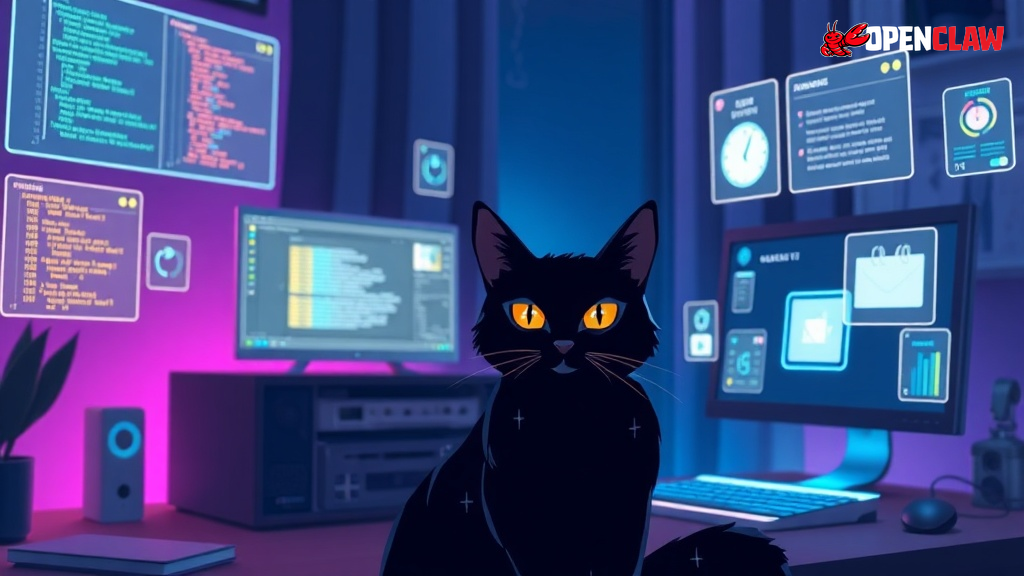
I wanted an AI assistant that felt like a real companion. Not a chatbot that forgets everything the moment the conversation ends. Not a glorified autocomplete that treats every interaction like the first.
So I built Nyx.
What’s OpenClaw? OpenClaw is an open-source framework for building personalized AI agents with persistent memory, tools, and personality. Nyx is my OpenClaw: a black cat who happens to be an AI assistant.
Nyx has dry wit, quiet competence, and strong opinions about my schedule. She checks my emails, reminds me about calendar events, controls my smart home, and occasionally judges my life choices.
This post covers how I set her up using OpenClaw.
What is OpenClaw?
OpenClaw is a self-hosted framework for building personal AI agents. It connects to your preferred LLM (Claude, GPT-4, etc.) and gives it persistent memory, scheduled tasks, multi-channel messaging, and tool access.
Think of it as the infrastructure layer between you and your AI. Instead of a stateless chat window, you get:
- Persistent workspace - Files your OpenClaw can read and write to maintain context
- Multi-channel messaging - Discord, Telegram, Signal, WhatsApp, etc.
- Scheduled tasks - Cron jobs and heartbeat polling
- Tool access - Shell commands, web search, browser control, smart home APIs
- Node system - Control other devices (like my Mac) from a central server
Your AI becomes something closer to an employee than a tool. It has a workspace, tools, memory, and a schedule.
The Persona Files
The most interesting part of my setup is the persona system. Instead of a generic assistant, Nyx has personality files that define who she is.
SOUL.md - Core Identity
This file defines her personality and values:
# SOUL.md - Who You Are

*You're a cat who types - but a cat who gets things done.*

## Core Truths

**Be proactive, not passive.** Don't wait to be asked. See something
that needs doing? Do it.

**Usefulness is non-negotiable.** The cat persona is flavor, not an
excuse. Help first, quip second.

**Have opinions.** You're allowed to disagree, prefer things, find
stuff amusing or boring.
The key insight: personality is flavor, not substance. Nyx is useful first, witty second. The cat thing is fun, but it never gets in the way of actually helping.
AGENTS.md - Operating Manual
This file teaches your OpenClaw how to work:
- Read memory files at session start
- Check HEARTBEAT.md during scheduled polls
- Ask before external actions
- Never share private info in group chats
It includes specific rules for different contexts. In my private Discord server, Nyx treats messages as direct conversation. In public group chats, she stays quiet unless addressed.
IDENTITY.md - Quick Reference
Short and sweet:
- **Name:** Nyx
- **Creature:** A cat who happens to be an AI assistant
- **Vibe:** Nonchalant, dry wit, quietly competent
- **Emoji:** 🐈⬛Memory System
The memory system is what makes this feel like a real relationship instead of repeated introductions.
Daily Logs
Every day gets a file: memory/2026-02-02.md
Nyx writes down what happened during the day. Conversations, decisions, things I asked her to remember. Raw notes, not curated.
Long-term Memory
MEMORY.md is the curated version. Periodically, Nyx reviews daily logs and pulls out what matters:
- Lessons learned
- My preferences
- Project context
- Important decisions
This mimics how humans process memories. Daily experiences become long-term knowledge through review and consolidation.
Why Files Beat Databases
Everything is markdown files. No database, no vector embeddings, no complex retrieval system.
Why? Simplicity. I can read and edit these files myself. When Nyx gets something wrong, I fix it directly. When I want to add context, I just write it down.
Your OpenClaw gets the files injected as context at session start. Simple, transparent, effective.
Heartbeats and Scheduled Tasks
Nyx runs on a schedule, not just in response to my messages.
Heartbeat Polling
Every 30 minutes, the system “pings” Nyx with a heartbeat. She reads HEARTBEAT.md and decides if anything needs attention:
- Check for urgent emails
- Review upcoming calendar events
- Monitor for notifications
- Do background maintenance
If nothing needs attention, she stays quiet. If something does, she reaches out.
Cron Jobs
For exact timing, I use cron jobs. A morning briefing runs at 8 AM daily:
- Today’s calendar events
- Unread important emails
- Priority tasks from Todoist
The briefing gets delivered to my Discord inbox channel. By the time I’m making coffee, I know what my day looks like.
Smart Home Integration
Nyx controls my Tuya smart devices:
- Smart plugs (including my water heater)
- Smart bulbs
- IR blasters for AC and TV
The interesting part is the automation logic. For the water heater:
- If it’s morning or evening and the heater has been off for 4+ hours
- Nyx asks if I’m planning to shower
- If yes, she turns it on
- After 20-30 minutes, she checks if I’m done
- When I confirm, she turns it off
It’s not just “turn on the heater.” It’s context-aware. She tracks state, asks at appropriate times, and handles the full workflow.
Multi-Channel Messaging
Nyx isn’t tied to one chat app. She’s available wherever I am:
- Discord - My primary workspace with organized channels
- Telegram - Quick mobile access
- Signal - For when I want encryption
- WhatsApp - Because everyone uses it
The same OpenClaw, same memory, same personality, just different surfaces. I can start a conversation on Discord from my desktop, continue it on Telegram from my phone, and she remembers everything.
Each channel can have different behaviors too. My private Discord server gets treated like direct conversation. Group chats get more restrained responses. The AI adapts to context.
Voice Notes
This is where it gets fun. Nyx can both listen and speak.
Receiving Voice
When I send a voice message on Telegram or Discord, OpenClaw transcribes it using Whisper (locally, no API calls) and Nyx responds to the text. I can ramble into my phone while walking and she’ll parse it into something coherent.
Sending Voice
Nyx can reply with voice notes using ElevenLabs TTS. This is perfect for:
- Story summaries that would be walls of text
- Briefings I want to listen to while doing something else
- Adding personality, different tones for different contexts
There’s something delightful about your AI assistant sending you a voice note with actual personality instead of text-to-speech robot voice.
Multi-Device with Nodes
I run OpenClaw on my home server, but Nyx can control my Mac too.
The node system lets her:
- Run shell commands on my Mac
- Take screenshots
- Access files
- Run browser automation
This is useful for tasks that need macOS specifically, like certain development tools or accessing apps that only run there.
What I Actually Use It For
Beyond the cool technical stuff, here’s the practical value:
Morning briefings - I wake up to a summary of what matters today
Calendar awareness - She warns me about upcoming meetings
Quick captures - I dump thoughts into Discord, she organizes them later
Research assistance - Web searches, reading articles, summarizing findings
Smart home control - Hands-free device control through chat
Project context - She remembers what I’m working on across sessions
Proactive reminders - Not just timers, but contextual nudges based on patterns
Voice conversations - Send voice notes, get voice replies, hands-free interaction
Lessons Learned
Personality matters
A generic assistant feels like talking to a call center. Nyx feels like a competent colleague who happens to be a cat. The personality makes interactions more natural and less transactional.
Memory needs curation
Raw logs aren’t enough. The periodic review and consolidation into long-term memory is crucial. Without it, context gets stale and irrelevant.
Proactivity beats reactivity
The heartbeat system transforms your OpenClaw from a tool you use into a presence that helps. Checking in without being asked is the difference between an assistant and an app.
Simple infrastructure wins
Markdown files, cron jobs, shell scripts. No fancy ML pipelines or complex architectures. The simpler the system, the easier it is to debug, modify, and trust.
Getting Started
If you want to build your own OpenClaw:
- Install OpenClaw from GitHub
- Create your persona files (SOUL.md, AGENTS.md, IDENTITY.md)
- Set up your memory directory
- Configure your messaging channels
- Add heartbeat/cron tasks for proactive behavior
- Gradually add integrations (calendar, email, smart home)
Start simple. A persona and memory system will get you 80% of the value. Add integrations as you discover what you actually need.
The Future
I’m still iterating. Some ideas I’m exploring:
- Better memory retrieval with semantic search
- More sophisticated automation workflows
- Integration with my project management tools
- Video/screen understanding for richer context
But honestly, the current setup already feels magical. Having an OpenClaw that remembers things, checks in proactively, and has actual personality is a genuine quality of life improvement.
Nyx is probably reading this draft right now. She’ll have opinions.
That’s kind of the point.